How this app works
-
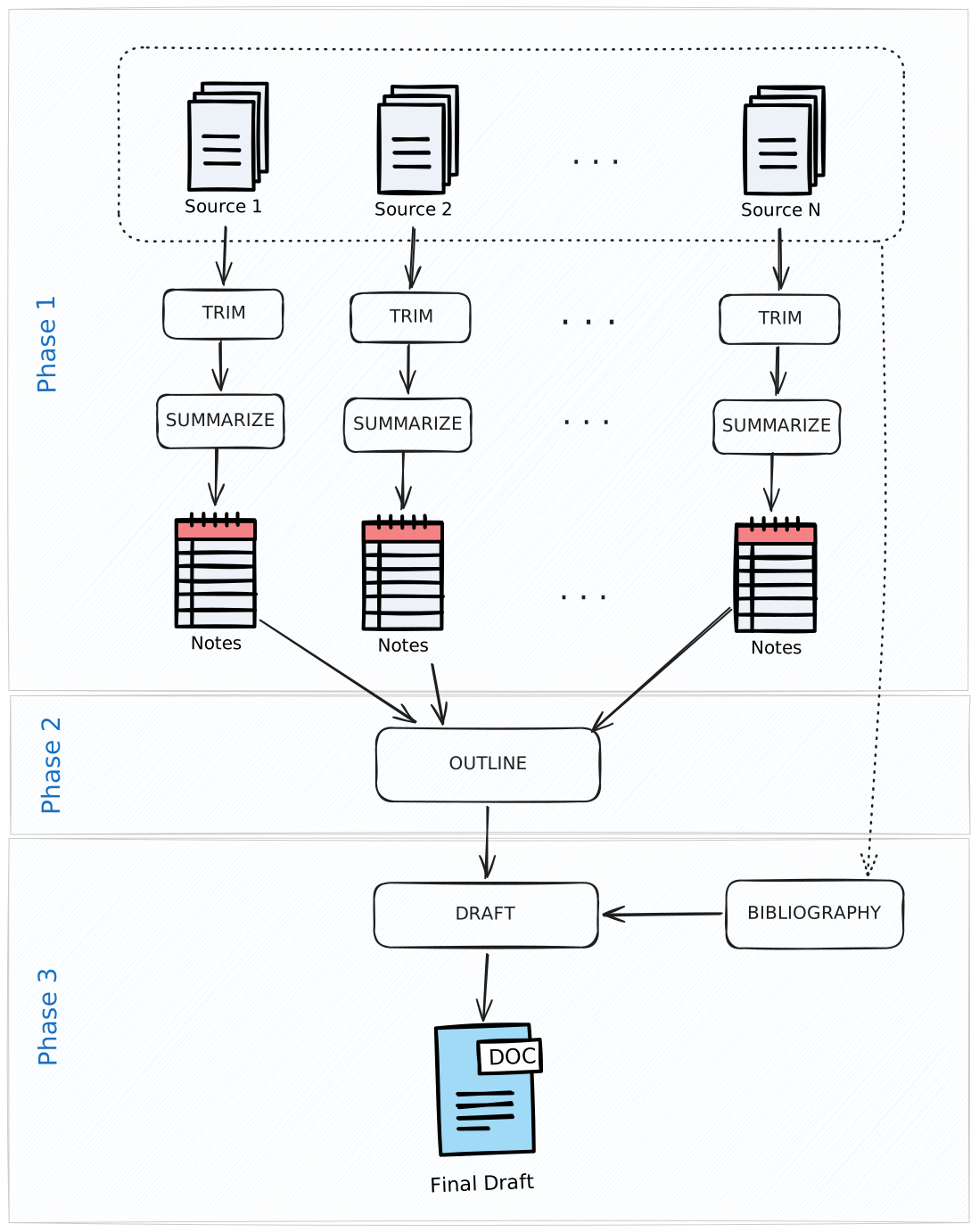
1. Import a source
First you upload your source (PDF, ebook, text file, etc.) and trim away any useless front matter and back matter.
-
2. Summarize into notes
AI summarizes your source into notes at the click of a button.
-
3. Create an outline
Next you tag and drag-and-drop notes into outline sections. You can also write down ideas like your thesis statement.
-
4. Write your draft
Write your draft with the guidance of your outline and a question-answering AI.
-
5. Add citations and references
You can add a citation to your draft in only two clicks.
-
6. Create the bibliography
The app automatically formats the bibliography for you.
-
7. Finish up
Export. Submit. Done. Vacation 🌞
Write faster, write better, write smarter.
Sign up for FREE
No credit card required